
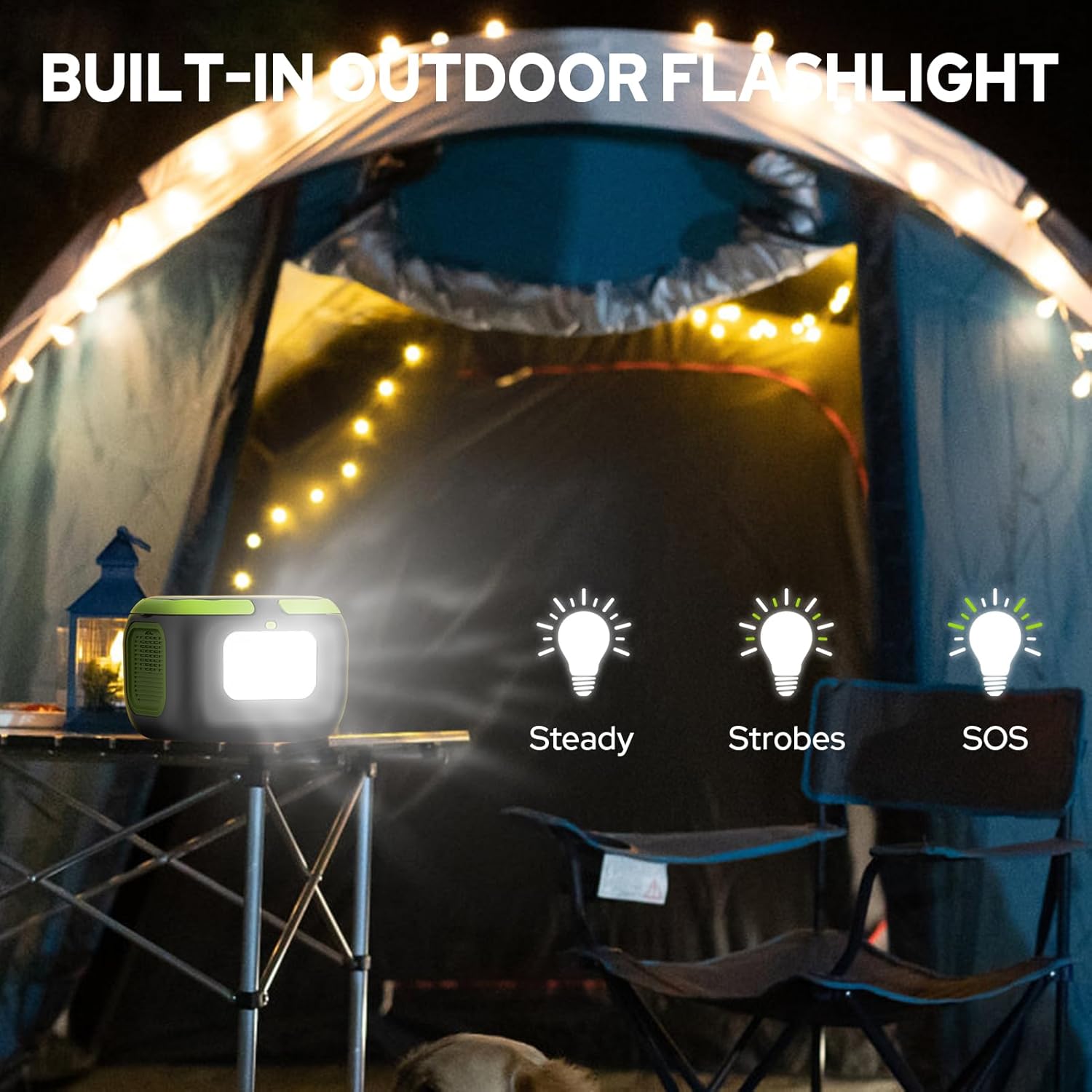
Looking for a compact power solution that fits in your backpack and keeps your devices running while camping, traveling, or during a home outage?
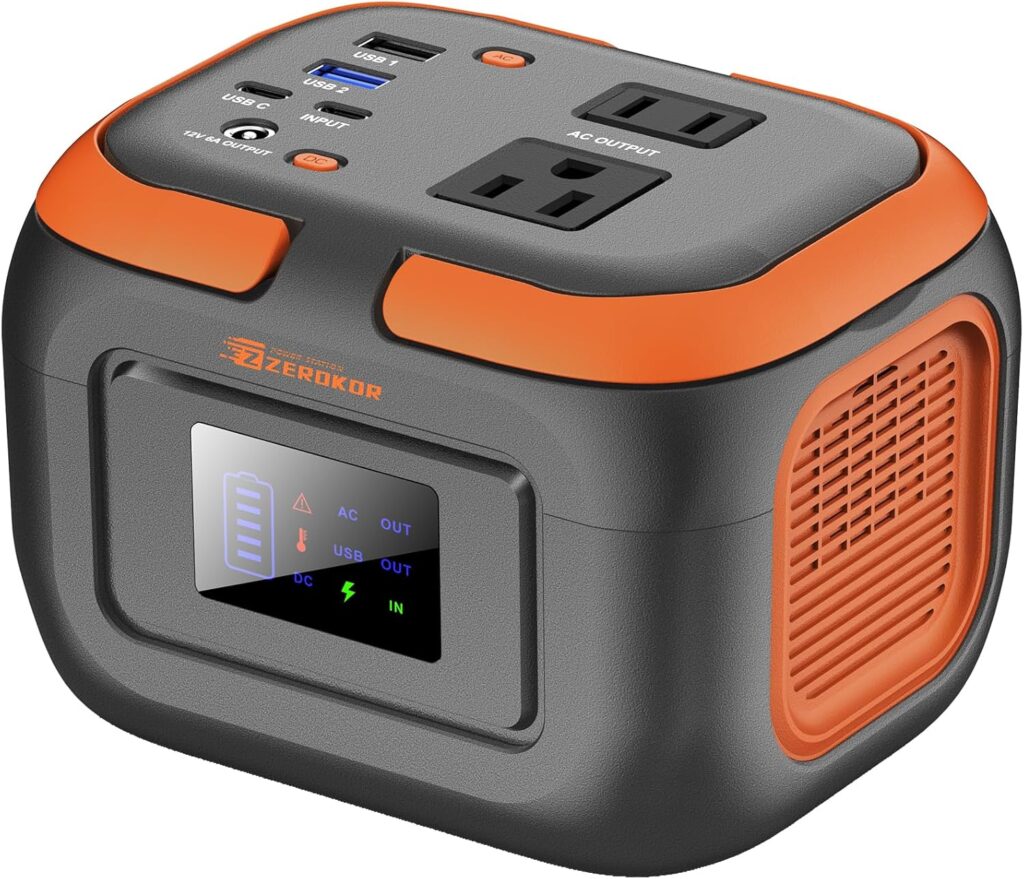

Product at a glance
You’re looking at the Portable Power Station 120W, 110V Power Bank with AC Outlet, Portable Generator 97.6Wh External Battery Power Pack with USB C Input for Camping Home Van Life Adventure Backup. This ZeroKor unit packs a surprising amount of functionality into a very small package: AC outlets, multiple USB ports including USB-C and Quick Charge, a DC output, an LED flashlight with modes, and built-in safety systems — all in a roughly 2.2 lb, 97.6Wh battery pack.
What the product is meant for
This model is designed to power small electronics — phones, tablets, laptops, cameras, drones and other lightweight gear — during outdoor trips or short home outages. It isn’t intended to run high-wattage appliances, so you’ll need to match your expectations to the 120W AC limit.
Key specifications
Below you’ll find the most important specs summarized so you can quickly see if this station meets your needs. The table breaks down capacity, outputs, inputs, and included accessories in plain English.
| Feature | Details |
|---|---|
| Brand & Model | ZeroKor Portable Power Station 120W (97.6Wh / 26400mAh) |
| Battery Capacity | 97.6 Wh (watt-hours) / 26400 mAh (at nominal cell voltage) |
| AC Output | 2 × 110V AC outlets, combined max 120W |
| DC Output | 1 × DC (12V–16.8V / 6A max) — long press DC button to enable |
| USB Ports | 1 × USB-A (5V/2A), 1 × Quick Charge USB-A (5V/3A, 9V/2A, 12V/1.5A max), 1 × USB-C (5V/3A, 9V/2A, 12V/1.5A max) |
| Charging Inputs | USB-C input, USB-A to USB-C car charging via cigarette lighter adapter, solar panel input supported (solar panel not included) |
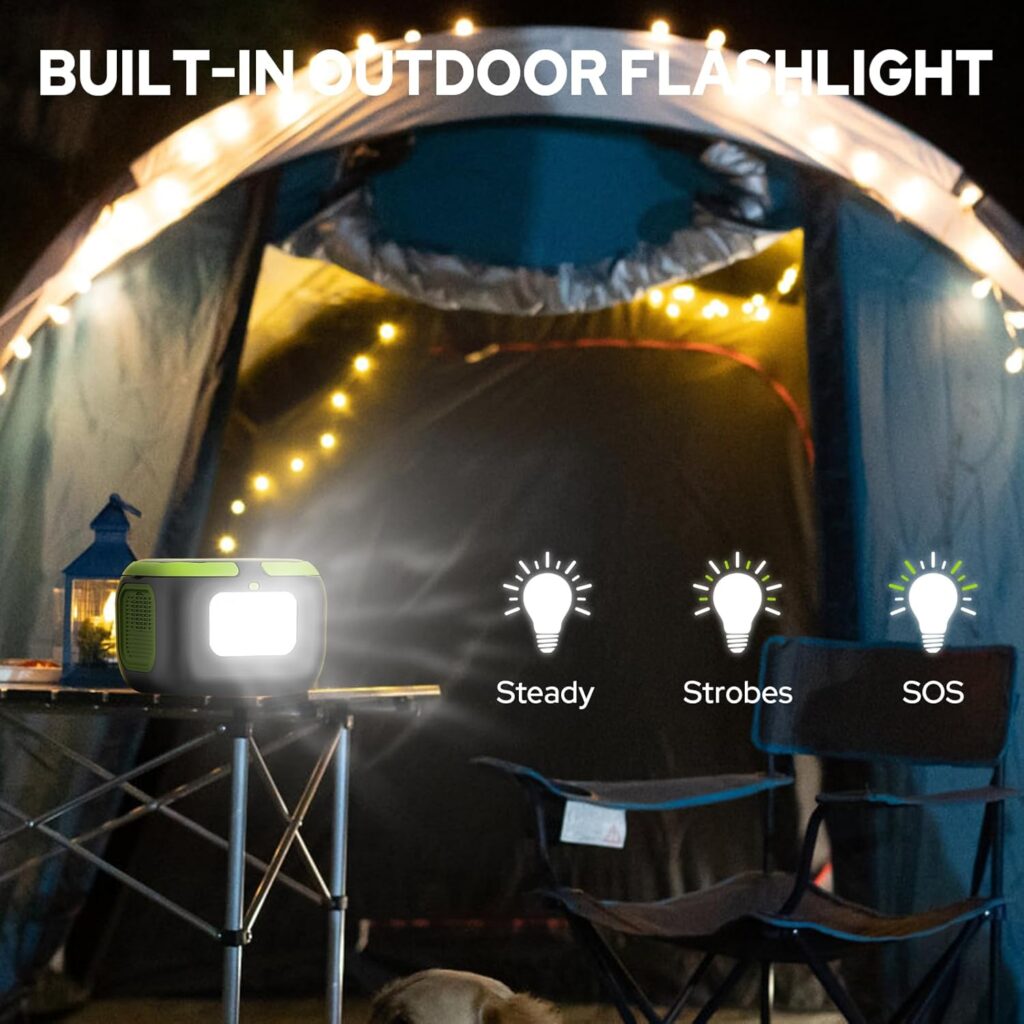
| Extras | LED flashlight with reading mode and SOS mode |
| Weight & Portability | Approximately 2.2 lbs with handle; compact for backpacks |
| Protections & Cooling | Built-in BMS: short-circuit, over-current, over-voltage, overload, overheating protections; auto fan |
| Included in Box | 1 × 120W Portable Power Station, 1 × 5V USB-C power adapter, 1 × Cigarette lighter adapter, 1 × USB-A to USB-C cable, 1 × user manual |
| Warranty & Support | 12 months customer support, 24/7 customer care availability advertised |
Interpreting the specs
The 97.6Wh capacity places this unit just under the 100Wh airline threshold where stricter rules apply, making it a practical option for air travel if you need to carry a battery (double-check current airline policies and carry-on restrictions). The 120W AC rating is the key limit — that’s the ceiling for any single AC device or combined loads you connect.

Design and portability
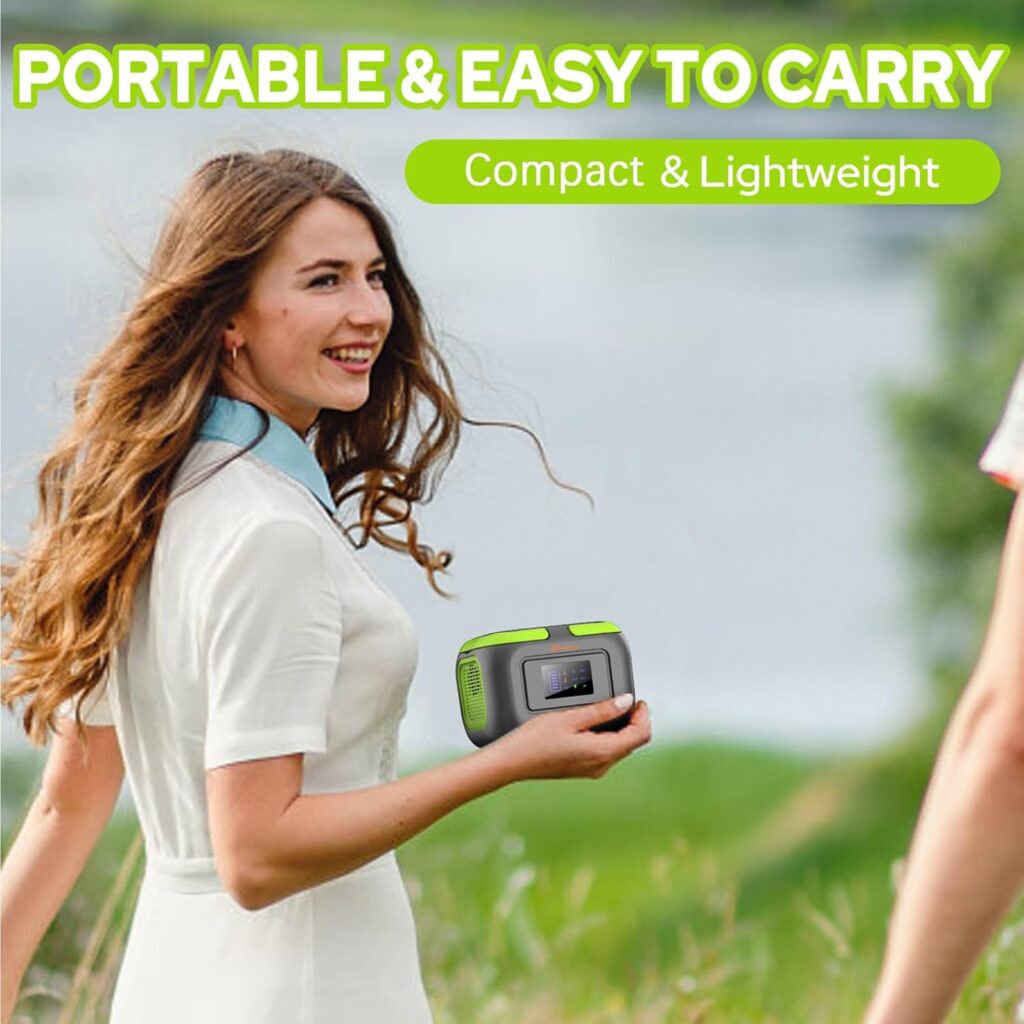
The unit’s compact dimensions and integrated handle make it genuinely portable for day trips and light travel. You’ll find it easy to slide into a large daypack or carry it by hand, and the 2.2 lb weight means you won’t notice it much on short hikes.
Build quality and materials
The enclosure feels like a typical consumer-grade power station: plastic housing with ventilation ports and a small fan. The finish is practical rather than premium, but it’s useful and durable for outdoor use when handled carefully. You’ll want to avoid heavy impacts and keep it dry, since it’s not advertised as fully weatherproof.
Carrying and ergonomics
The handle is integrated and comfortable for finger-held carry, and all ports are grouped on the front for easy access. The display is positioned so you can glance at remaining charge and output status without moving the unit, which is handy during use in tents, vehicles, or campsites.
Ports and outputs
You’ll appreciate the multiple ports for mixed-device charging: two AC outlets, a DC port, a standard USB-A, a Quick Charge USB-A, and a USB-C port. This setup lets you charge a phone and a laptop at the same time while powering a small accessory, as long as you remain under the combined power cap.
AC outlets
There are two 110V AC outlets capable of up to 120W combined output. This is suitable for laptop chargers, small inflators, low-wattage CPAP machines (check device draw and settings), and many chargers, but it won’t support toasters, hair dryers, or coffee makers. If you need more than 120W, a larger-capacity power station is necessary.
USB ports and quick charge
The USB-C and QC USB-A ports support fast charging profiles (up to 12V/1.5A as listed for the quick-charge modes, and up to 5V/3A on some outputs). Expect fast top-ups for phones and tablets that support USB-C PD or Qualcomm Quick Charge. Keep in mind the actual speeds vary by device and cable quality.
DC output and activation
The unit includes a DC output that’s listed as 12V–16.8V / 6A max. Important: you must long-press the DC button to enable the DC output. This safety measure prevents accidental draw and gives you an extra step before powering DC devices. You’ll use the included cigarette lighter adapter to power car-style accessories.
Charging the power station
You can recharge the station three ways: USB-C wall adapter, car cigarette-lighter adapter using the included cable, or solar panels (sold separately). The included USB-C adapter is the most convenient for home charging, while the car adapter lets you top up while driving. Solar charging gives you off-grid flexibility, though you’ll need a compatible solar panel and the time/conditions for sunlight to work efficiently.
Solar charging details
Solar panels aren’t included, but the unit supports solar recharging. If you plan to rely on solar, pair it with a panel that matches the station’s input range and provide consistent sun exposure; charging times will depend on panel wattage and sunlight conditions. Solar is great for extended off-grid stays, but it’s slower and weather-dependent compared with AC charging.
What’s included for charging
Inside the box you get a 5V USB-C power adapter, a cigarette lighter adapter, and a USB-A to USB-C cable. That means you’re ready to charge from a wall outlet or a car immediately, but you’ll need to purchase a solar panel separately if you want green, off-grid charging.
Battery capacity and runtime
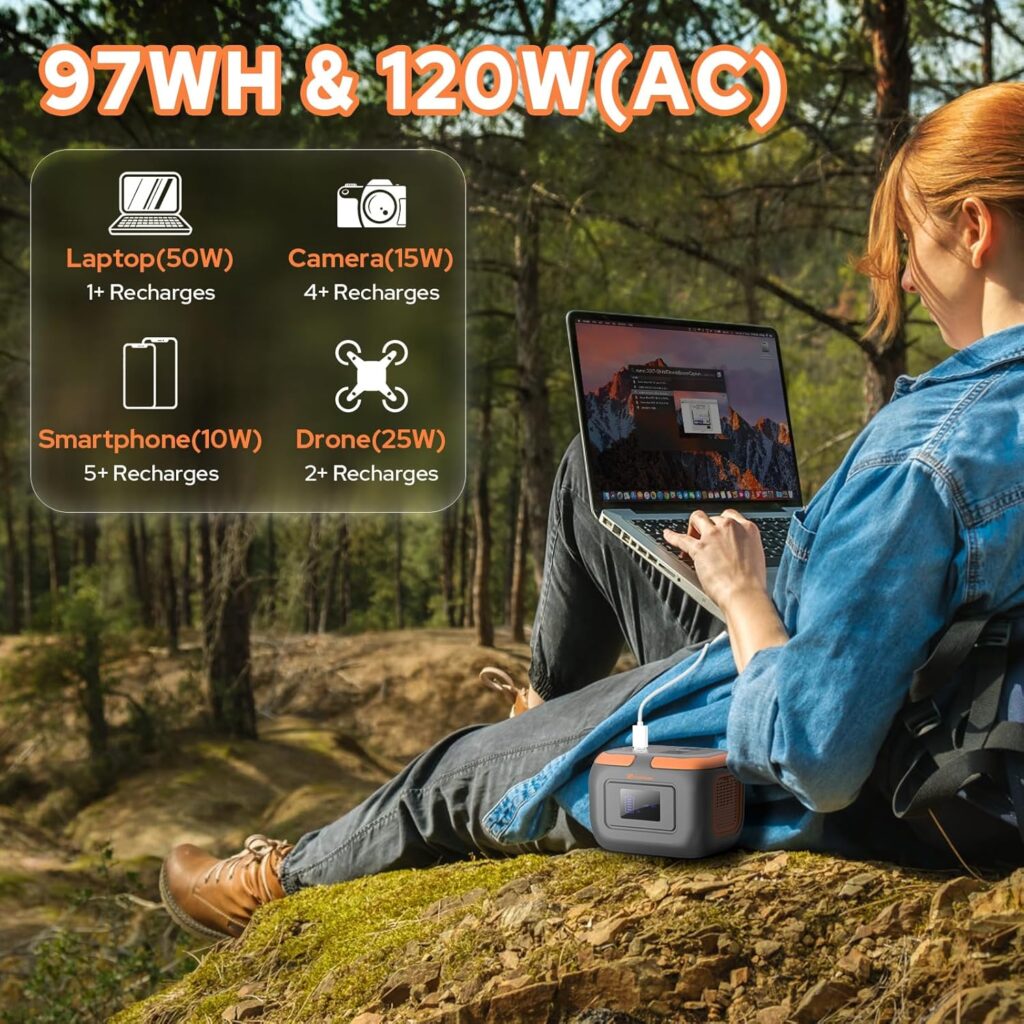
A 97.6Wh battery gives you a clear idea of how many recharges to expect for common devices, but since device energy demands vary, the numbers below are approximate. You’ll see substantial use for phones and small gadgets, limited runtime for power-hungry laptops, and only very short runtimes for heavier AC loads.
Practical runtime estimates
- Smartphone (approx. 10–15 Wh per full charge): you can expect roughly 6–9 full charges, depending on phone model and inefficiencies.
- Tablet (approx. 20–30 Wh): expect about 3–4 full charges for a typical tablet.
- Laptop (varies widely, 30–60 Wh): you might get one full charge for small ultra-portables and partial charges for larger laptops.
- Camera or drone batteries (varies): multiple top-ups are possible for action cameras and smaller mirrorless camera batteries; drone batteries may take more due to high discharge rates.
- Mini inflator or LED lamp (low-wattage): several hours to many hours depending on wattage, but check the watt draw against the 120W limit.
What the 97.6Wh figure really means
Watt-hours (Wh) are the clearest way to compare energy reserves. 97.6Wh is the total energy in the pack; due to conversion inefficiency and power management, usable energy will be somewhat lower in practice. Always leave a safety margin and don’t plan runtimes as exact figures.
Performance and real-world behavior
In real-world use you’ll notice fast phone charging, steady USB-C outputs, and reliable AC for low-draw electronics. The built-in cooling fan will run when the internal temperature rises, and the display gives you useful status info so you can manage power use.
AC performance
AC output is stable for devices below 120W, and small chargers behave well when connected. Larger or inductive loads — devices with compressors, heating elements, or motors — risk tripping overload protections or overheating the inverter when they exceed the rating. Avoid trying to run anything with a high startup surge, as that’s often where issues occur.
USB and DC performance
USB ports provide typical fast charge rates for compatible devices, and the DC output is useful for car accessories and some 12V devices once enabled. Charging multiple devices at once works, but you’ll need to watch the combined draw so you don’t hit the overall power ceiling.
Safety features and Battery Management System (BMS)
You’ll get the reassurance of multiple safety layers: short-circuit protection, over-current protection, over-voltage protection, overload protection, and overheating protection. The automatic cooling fan activates when internal temperatures rise, helping protect the cells and electronics during heavier use.
How safety affects daily use
The BMS prevents damage from misuse and protects your devices by shutting down or limiting output if something goes wrong. You’ll still want to avoid exposing the unit to water, extreme temperatures, or excessive physical stress — the BMS is protective but not a substitute for common-sense handling.
Use cases and where it shines
This unit is particularly well-suited for day camping, charging phones and cameras on photography trips, running small CPAP machines (if the watt draw and medical requirements match), and as a lightweight emergency backup. If you live out of a van or RV part-time and have modest AC needs, it’s a good supplement for lights, phones, and small electronics.
Camping and outdoor activities
For car camping and short hikes, it gives you reliable power for lights, phones, GPS units, and camera gear. You can recharge devices overnight and use the flashlight feature for tent tasks or emergencies without adding much weight to your pack.
Home backup and emergency use
For short power cuts, this power station can keep your essentials alive: charge phones, run a small router, or power LED lights. It won’t run your kettle or large appliances, but it can keep communications and basic needs covered until mains power returns.
Van life and road trips
In a van setup with many devices being USB-powered, this unit acts as a handy supplement and can be charged while driving. You’ll still want a larger battery or alternator-based system for long-term off-grid living, but for weekend road trips it’s quite convenient.
Limitations — what it’s not suitable for
This unit won’t run high-wattage appliances and is not designed as a primary power supply for heavy loads. Devices like hair dryers, coffee makers, standard kettles, toasters, large water pumps, and anything with a high motor startup current are off-limits due to the 120W AC rating and peak current limitations.
Devices to avoid
Avoid connecting devices that have significant startup surges or sustained wattage above 120W. Even if a device’s rated wattage seems within limits, motors and compressors may draw much more at startup and cause the inverter to cut out or the unit to overheat.
Pros and cons
You should weigh the strengths and shortcomings so you can decide if this matches your setup and expectations. Below are concise lists to help you weigh that decision quickly.
Pros
- Highly portable and light (about 2.2 lbs), making it easy to carry for short trips.
- Multiple port types (AC, DC, USB-A, QC, USB-C) to charge many devices simultaneously.
- Compact 97.6Wh capacity sits just under many airline limits for carry-on batteries.
- Built-in protections (BMS) and an auto-activating cooling fan to reduce risk.
- LED flashlight with reading and SOS modes adds emergency value.
Cons
- 120W AC limit prevents use with many household appliances and high-draw devices.
- Solar panel not included — you’ll need to buy a compatible panel separately for solar recharging.
- No waterproofing or heavy-impact protection, so handle with care outdoors.
- Limited runtime for larger laptops and higher-wattage gear, which may require a larger station.
Comparison with similar products
Compared to ultra-compact power banks, this model adds AC outlets and more versatility at the cost of slightly larger size and weight. Compared with larger portable power stations (300Wh+), it’s far more portable but provides a fraction of the runtime and doesn’t support heavy AC loads.
Who should upgrade instead
If you need to power fridges, larger CPAP setups, or run appliances for long durations, consider stepping up to a 300–1000Wh class station with higher continuous AC ratings (typically 300W–1500W). Those larger options are heavier but necessary for extended off-grid living or high-wattage appliances.
Tips to get the most from your Portable Power Station 120W
You’ll get the best value by matching typical device draws to the unit’s capabilities and managing load intelligently. Here are actionable tips that help preserve battery life and avoid common frustrations.
- Monitor the display: keep an eye on remaining charge and output icons so you don’t unexpectedly run out of power. The display tells you AC and DC status and battery level, which helps prioritize what to power next.
- Prioritize essentials: charge phones, keep a power bank for quick phone top-ups, and run only low-wattage lamps or fans to stretch runtime.
- Use solar wisely: when using solar panels, orient panels for maximum sun and avoid partial shading, which drastically reduces output. Allow extra time for full recharges via solar.
- Manage simultaneous loads: plug in only what you need and avoid running multiple power-hungry devices at once to remain under 120W. Combine low-wattage devices rather than several mid-power devices.
- Keep the unit ventilated: don’t block vents or enclose the unit during use; proper airflow reduces fan runtime and heat buildup, extending the life of the electronics.
- Store with some charge: long-term storage is best with the battery at around 40–60% charge to protect battery health. Recharge every few months if you store it for extended periods.
Troubleshooting common issues
You’ll rarely run into problems, but here are fixes for the most common ones so you can keep using the unit without stress.
- Unit won’t power AC outlet: confirm the AC button is on, the display shows AC output, and your device’s wattage is under 120W. If one of those isn’t correct, the unit will refuse the load to protect itself.
- DC output not active: remember you must long-press the DC button to enable the DC output. If nothing happens, check battery level and that the unit isn’t in a fault state.
- Charging seems slow: check your input source. Wall USB-C adapters are fastest; car charging can be slower; solar depends on panel wattage and sun conditions. Use higher-wattage USB-C PD chargers for faster charging when possible.
- Fan runs frequently: the fan manages internal temperature. If it runs constantly, ensure the unit is kept in a cool, ventilated area and not exposed to direct sunlight or high ambient temperatures.
- Unit shuts down unexpectedly: this can indicate overload, overheating, or a protective shutoff. Reduce load, let the unit cool, and try again. If problems persist, contact customer support.
Frequently Asked Questions (FAQ)
You likely have a few lingering questions before buying or using this unit. Below are clear answers to common queries.
Q: Can I take this on a plane? A: The 97.6Wh rating places this battery under many airline limits for carry-on batteries, but airline policies can change and some carriers have specific rules. Always check with your airline before flying and carry it in your carry-on bag rather than checked luggage.
Q: Will it run my laptop? A: It can charge many laptops via AC or USB-C, but runtime depends on your laptop’s battery size and power draw. Expect one full recharge for lightweight laptops and partial charges for heavier models. Make sure your laptop’s power draw doesn’t exceed 120W.
Q: Can I use it for a CPAP? A: Possibly, for many travel CPAP models that have low power draw. Verify your CPAP’s power consumption and any surge currents. For long-term or nightly use, ensure the AC draw fits within the 120W limit and test before relying on it for sleep apnea therapy.
Q: Do I need a special cable for solar? A: You’ll need a compatible solar panel and the right adapter/cable to match the station’s input specifications. The manufacturer doesn’t include a solar panel, so buy a recommended model or a panel that matches the voltage/current requirements.
Warranty and support
ZeroKor advertises 12 months of customer support and 24/7 assistance. You’ll find an included user manual and a contact pathway for help, which is helpful if you encounter defects or need troubleshooting help beyond the basics.
What to expect from customer care
If you have issues, contact customer support with purchase details and the serial number or model info. Keep receipts and document any fault conditions or error indicators to streamline the claims or support process.
Final verdict
If you want a highly portable, multi-port station for phones, cameras, small laptops, and lighting, this ZeroKor Portable Power Station 120W is a pragmatic choice that balances portability with useful features. You’ll appreciate the light weight, multiple charging options, and built-in protections, as long as you respect the 120W AC limit and don’t expect it to replace larger home backup systems.
Who should buy this
Choose this unit if you need a compact, lightweight power source for short trips, emergency phone and device charging, or as a travel companion that fits airline rules. It’s ideal for photographers, light campers, van-trippers who run mostly USB-powered gear, and anyone wanting a small emergency backup.
Who should look elsewhere
If you require continuous power for high-draw appliances, extended off-grid living, or long CPAP use without recharging opportunities, look at larger-capacity units with higher continuous AC ratings and larger battery banks.
If you want a lightweight, well-rounded, and portable solution for small electronics and short-duration support, this model is a solid pick. Use it within its limits, pair it with the right charger or solar panel, and you should find it a convenient addition to your gear.
Disclosure: As an Amazon Associate, I earn from qualifying purchases.