
Are you looking for a compact, energy-conscious UPS to protect your home office, entertainment gear, or networking equipment without wasting space or power?
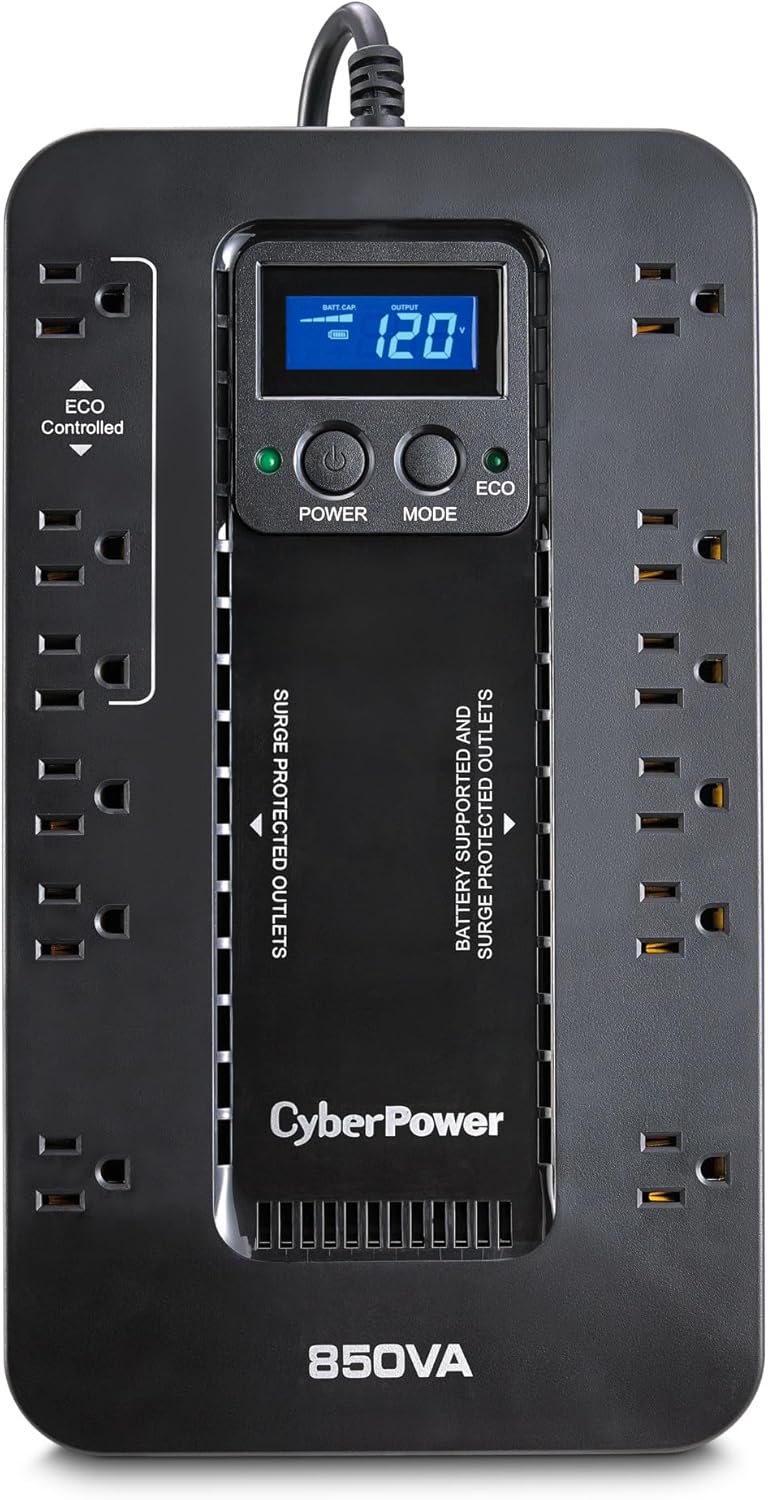

First impressions of the CyberPower EC850LCD Ecologic UPS Battery Backup and Surge Protector, 850VA/510W, 12 Outlets, ECO Mode, Compact, UL Certified
You get a lot of practical features packed into a compact chassis with this model. At first glance the layout, the LCD, and the combination of battery-backed and surge-only outlets make it clear this UPS is aimed at everyday users who want protection and some energy savings without overcomplicating setup.
Unboxing and what you’ll see right away
You’ll find the UPS itself, a quick-start guide, and usually paperwork about the warranty and the connected equipment guarantee. The unit ships with a five-foot cord attached, so you can fit it close to your desk or entertainment center without a rat’s nest of cables.
Design and build quality
The CyberPower EC850LCD favors practicality over flashy aesthetics, and that’s a good thing for many users. The case is compact and sturdy enough for placement on or under a desk, and the LCD is front-facing so you can quickly read status information.
Size, weight, and placement ideas
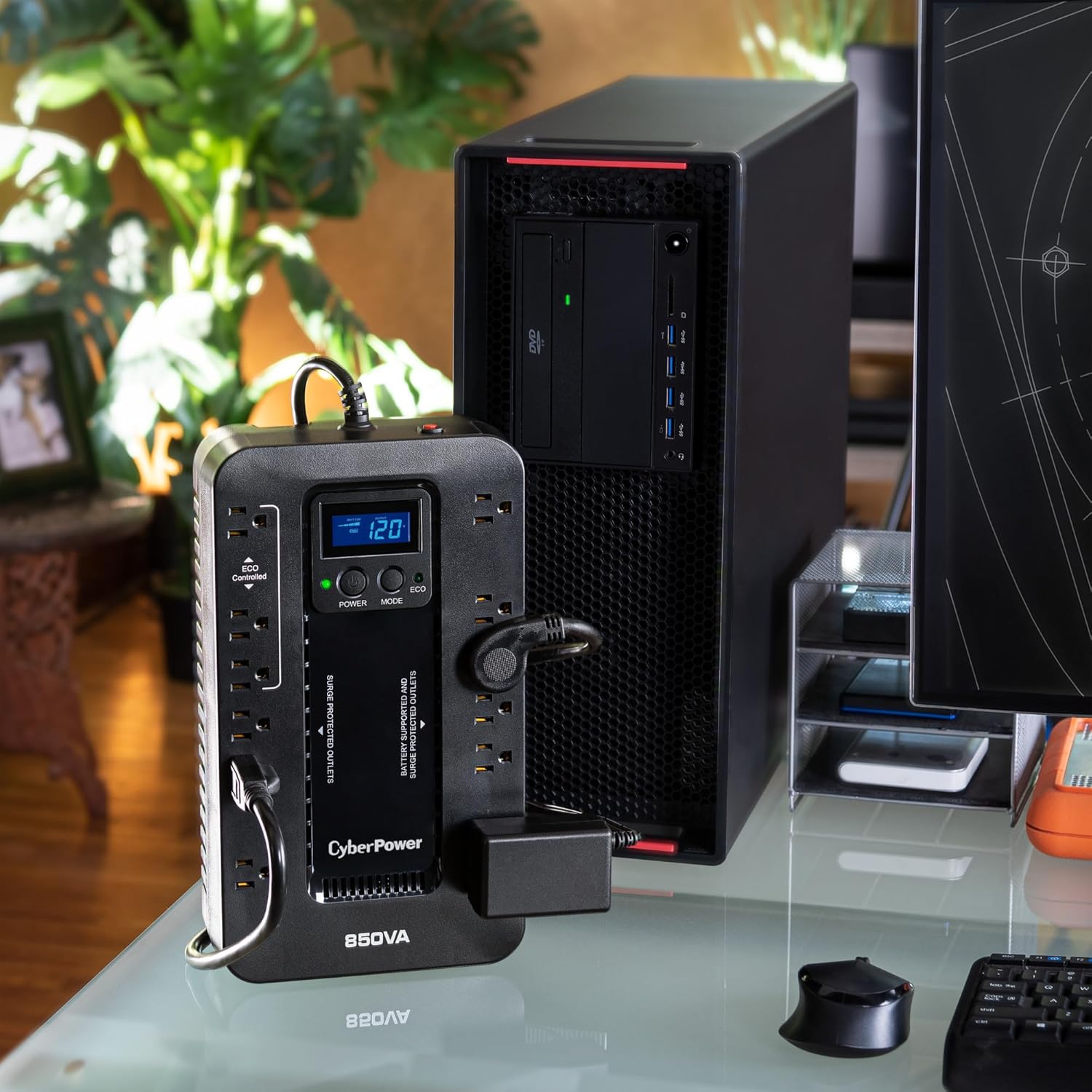
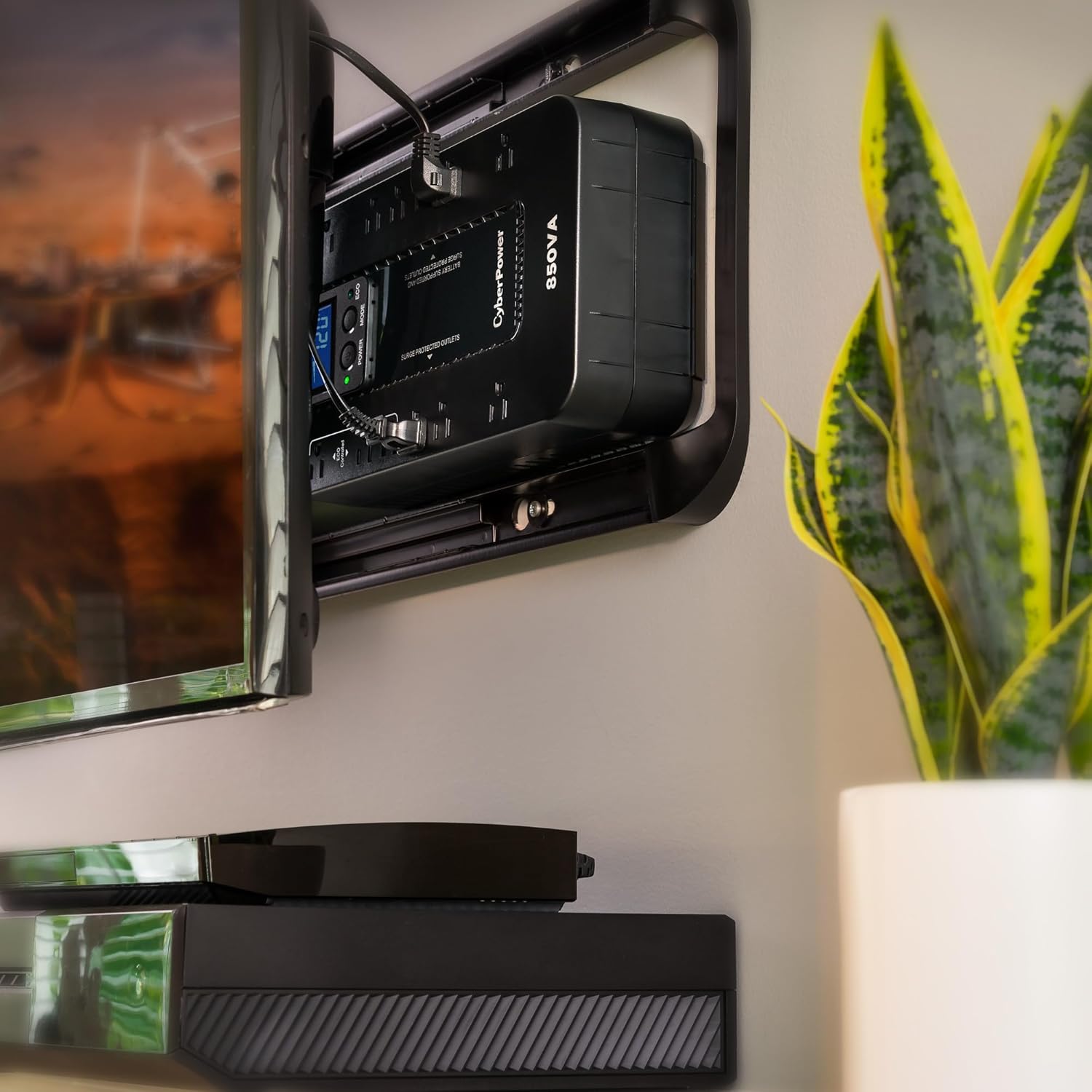
You’ll notice the unit is small enough to tuck behind a monitor or sit beside a router, and the right-angle, 45-degree offset plug helps if your wall outlet is in a tight corner. Because it’s not a rackmount device, plan to give it some ventilation space and avoid stacking heavy items on top.
Outlets and load distribution
This UPS gives you 12 NEMA 5-15R outlets, split between battery-backed + surge-protected and surge-only. That mix is convenient: you can protect critical devices such as a modem, router, or a small desktop on battery power, and keep printers or lamps on surge-only outlets.
Outlet configuration details
You get six battery backup & surge-protected outlets and six surge-protected outlets; three of the surge-only outlets are ECO-controlled for automatic power savings. That means you can connect peripherals that don’t need uninterrupted power and let the UPS cut them off when your computer is off or sleeping.
Key specifications at a glance
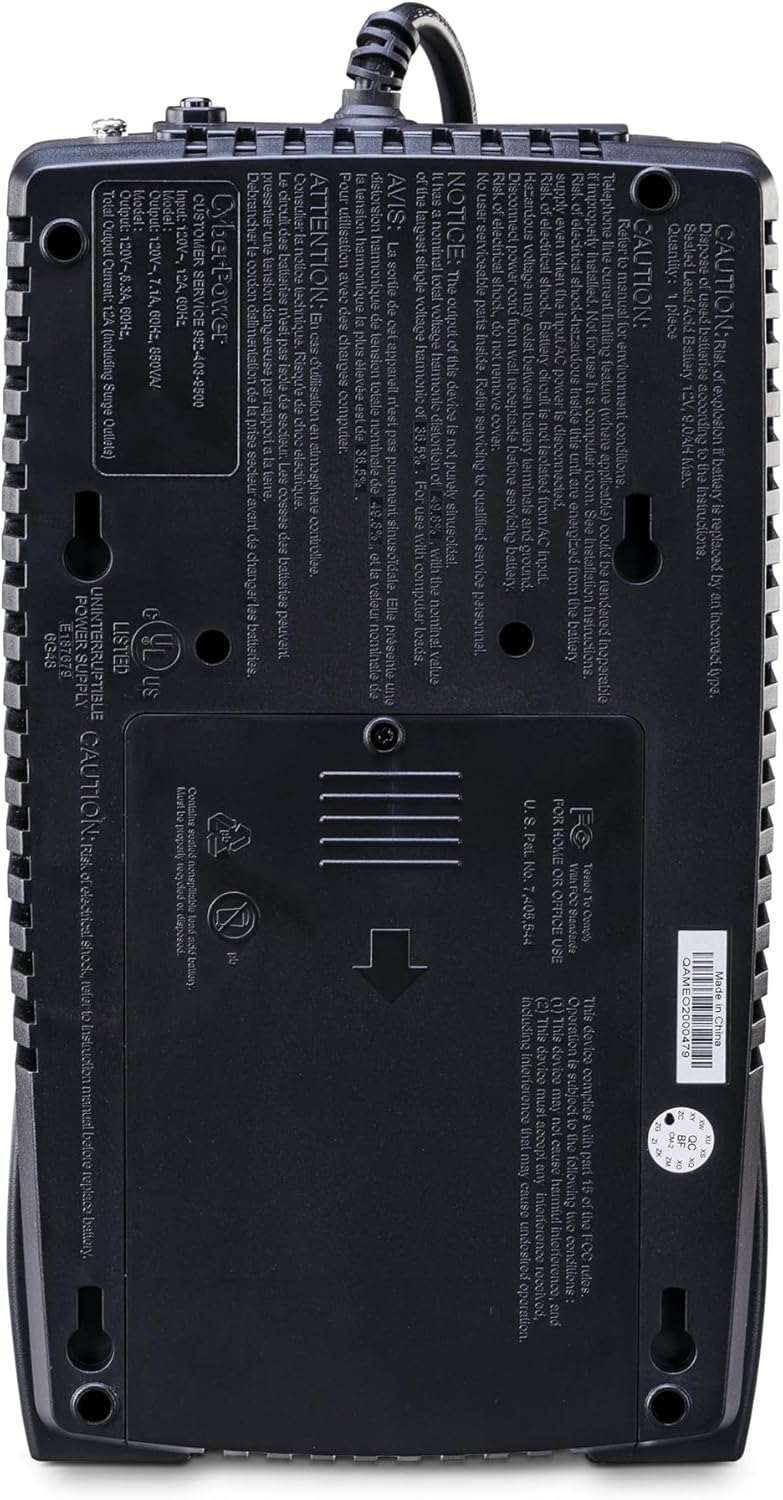
The technical sheet gives you the headline numbers you care about: 850VA / 510W capacity, simulated sine wave output, an ECO mode, and an LCD display. These specs tell you what kind of devices you can protect and how the UPS will behave under load.
| Specification | Detail |
|---|---|
| Model | CyberPower EC850LCD Ecologic UPS |
| Capacity | 850VA / 510W |
| Output waveform | Simulated sine wave |
| Outlets | 12 NEMA 5-15R (6 battery+surge, 6 surge-only; 3 ECO-controlled) |
| Input plug | NEMA 5-15P right-angle, 45° offset |
| Power cord | 5-foot |
| Display | Multifunction LCD |
| ECO Mode | Yes (automatic peripheral control) |
| Software | PowerPanel Personal Edition (download) |
| Certifications | UL certified |
| Warranty | 3 years (including battery) |
| Connected Equipment Guarantee | $100,000 |
Power output and performance
You’ll want to think of the 850VA/510W rating as the maximum this unit can handle; don’t exceed that if you want usable runtime during an outage. For most small desktops, networking gear, and home entertainment devices, the EC850LCD can provide enough time to save work and shut down safely.
Simulated sine wave: what it means for your gear
This UPS uses a simulated sine wave output rather than a pure sine wave inverter. You’ll be fine with many devices like basic desktops, NAS boxes, routers, and peripherals, but you should be cautious with power-hungry gaming PCs, high-end audio gear, or equipment that explicitly requires a true sine wave. If your power supply or device uses active PFC, check its manufacturer guidance — some active PFC PSUs can behave poorly on simulated sine wave output.
Typical runtime expectations
Your actual runtime depends entirely on the load you connect. If you’re running a small desktop drawing 50–100W, you can expect several tens of minutes of backup. If you’re close to the 510W limit, runtime will drop to a few minutes — enough to save work and perform a graceful shutdown. For precise numbers, consult runtime charts or test with your typical device load.
ECO Mode and energy savings
The ECO Mode is one of the feature highlights for people who want to lower energy use automatically. When the UPS detects the host computer is off or asleep, it will cut power to peripherals connected to the ECO-controlled outlets, reducing standby power consumption.
How ECO Mode behaves in real life
You’ll see power consumption drop when the device connected to the master outlet sleeps or shuts down; peripherals like monitors, speakers, or printers will be turned off. This is particularly useful if you have devices that otherwise draw power 24/7, and it reduces your electricity bill without manual intervention.
The Multifunction LCD panel
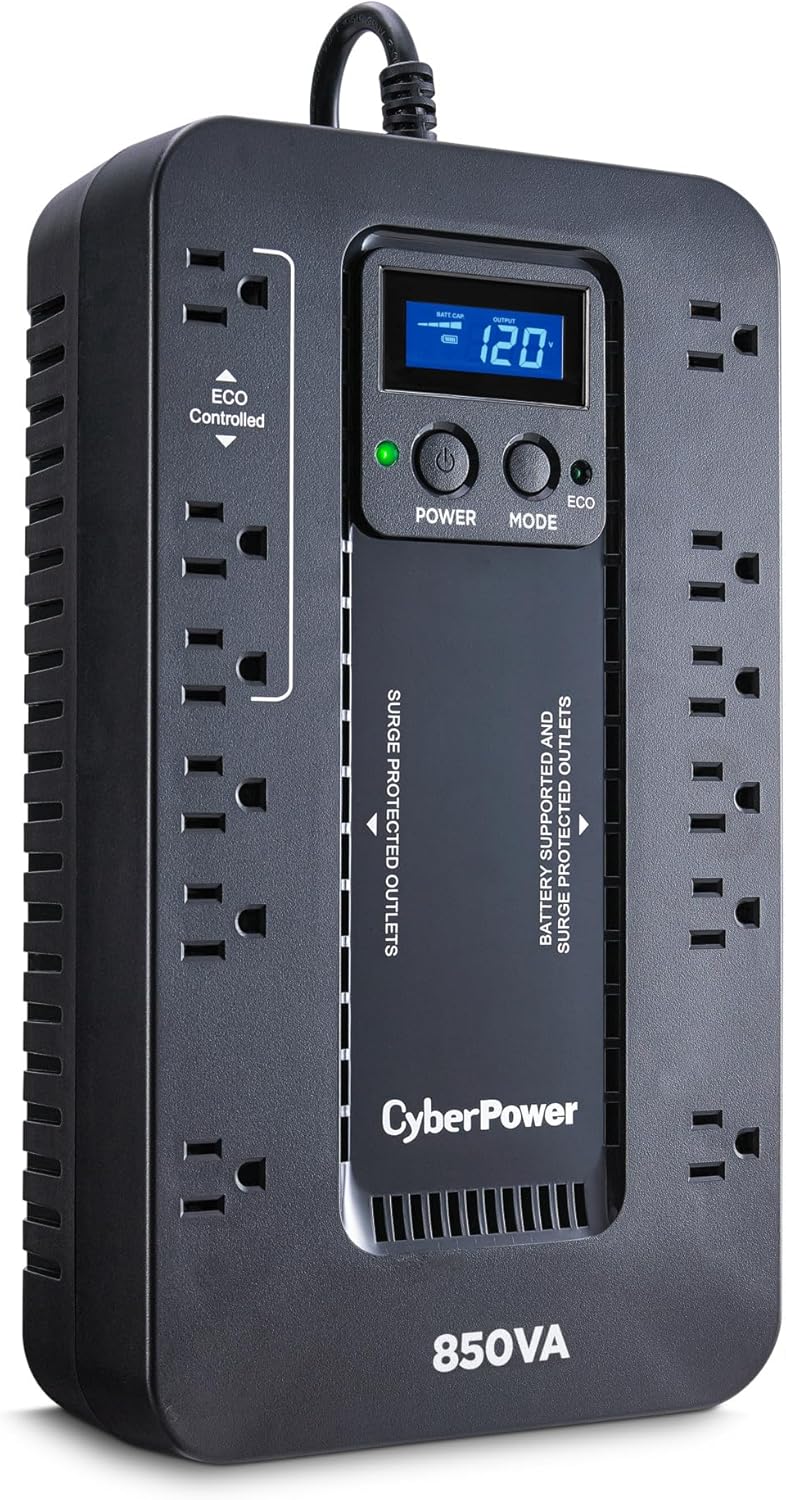
You’ll appreciate the clear, immediate feedback from the LCD panel, which provides battery and power condition information at a glance. The readout helps you quickly diagnose whether you’re on battery, near overload, or experiencing voltage issues.
What the LCD shows and why it matters
The LCD typically displays input/output voltage, estimated runtime, battery status, load level, and whether ECO Mode or AVR (if present) is active. Having that information visible makes it easy to make decisions during a power event, like which devices to keep running and which to shut down.
Software and monitoring options
CyberPower includes free PowerPanel Personal Edition management software, which you can download to configure shutdown settings, log events, and get more granular status updates. Using software gives you automated safe shutdowns, which is especially useful for a desktop or a small server.
What you can control with PowerPanel Personal Edition
You’ll be able to set shutdown thresholds, schedule actions, receive alerts, and view event logs. The software is a useful complement to the LCD: while the panel gives you instant local information, the app allows automation and historical data that helps you tune behavior to your needs.
Installation and setup
Setting up the UPS is straightforward: plug the UPS into a grounded outlet, plug in your devices, and turn it on. If you want software-controlled shutdown, install PowerPanel and connect the UPS to your computer via USB (if applicable) or configure network-connected devices accordingly.
Tips for optimal setup
You’ll want to prioritize which outlets get battery backup — typically modem/router, desktop, and monitor if you need time to save and shut down. Keep heavy-load devices like laser printers on surge-only outlets or on a separate power source, and leave clearance for ventilation.
Noise, heat, and everyday operation
You’ll notice minimal noise in normal operation; fans remain quiet unless the unit is under stress or charging heavily. The unit will generate some heat while charging or under heavy load, so avoid enclosing it tightly and keep the vents unobstructed.
What to expect during a power event
During battery operation you may hear a modest hum from the inverter, which is normal. The LCD will alert you to the switch to battery and give estimated runtime so you can act accordingly.
Safety certifications and build reliability
This CyberPower model is UL certified, which indicates compliance with safety standards you can trust. That certification, plus the three-year warranty that covers the battery, gives you peace of mind if something goes wrong.
Warranty and connected equipment protection
You’ll get a 3-year warranty that includes the battery, and a $100,000 Connected Equipment Guarantee that backs up properly connected devices. That’s a strong promise compared to many consumer UPS units and makes it a solid choice if you have valuable electronics to protect.
Real-world usage scenarios
If you work from home, this UPS is a sensible addition to your workspace: it’ll keep your computer and router alive long enough to save files and finish a meeting. If you manage a small home server or NAS with modest power needs, it provides protection and graceful shutdown to avoid data corruption.
Entertainment setups and home networking
You’ll find this UPS useful for protecting gaming consoles, streaming devices, and Wi‑Fi routers to maintain internet and streaming uptime during short outages. Just be mindful that high-power gaming PCs with high-end PSUs may not be ideal on a simulated sine wave UPS.
Troubleshooting and maintenance
You’ll want to exercise the battery every few months and replace it as performance deteriorates — the included warranty makes replacement straightforward for the covered period. If you see frequent battery warnings or dramatically reduced runtime, test the battery under load and consider contacting support.
Simple checks you can run
You’ll be able to check battery capacity via the LCD, run self-tests via the software or front panel, and inspect outlet labeling to ensure critical loads are on battery-backed outlets. Regularly updating PowerPanel software and firmware (if available) will keep behavior stable and predictable.
Pros and cons summary
You’ll appreciate the balanced feature set: good outlet variety, ECO Mode for energy savings, a useful LCD panel, and strong warranty protections. On the other hand, simulated sine wave output and limited runtime at high loads mean this unit isn’t the best choice for high-end gaming rigs or large servers.
Quick bullet summary
- Pros: compact form factor, six battery-backed outlets, ECO Mode, clear LCD, 3-year warranty (battery included), $100k guarantee, PowerPanel software.
- Cons: simulated sine wave output (not ideal for some active PFC power supplies), limited runtime at near-maximum loads, not rackmountable.
Comparison table: how the EC850LCD stacks up for common needs
This table helps you see which use cases fit this UPS best and where you might want to look at other options.
| Use case | Suitability with EC850LCD | Notes |
|---|---|---|
| Home office PC + router | Excellent | Enough power for safe shutdowns; ECO Mode reduces standby draw. |
| Small NAS / home server (low wattage) | Good | Works well for low-power NAS; check simulated sine wave compatibility. |
| Gaming PC with active PFC PSU | Caution | Simulated sine may cause issues; consider pure sine wave UPS for high-end builds. |
| Home entertainment/streaming gear | Good | Keeps routers and streaming devices alive; TV/AV receivers usually OK on surge protection. |
| Small business server room | Limited | Capacity and waveform may be insufficient for mission-critical servers. |
| Printer / scanner protection | Not ideal on battery | Printers should be on surge-only outlets or separate circuits due to inrush current. |
Who should buy the CyberPower EC850LCD
You should consider this UPS if you want a compact, affordable, and energy-efficient way to protect a home office, small desktop, or networking gear. If you value an LCD for quick status checks, ECO Mode to lower standby consumption, and a solid warranty that includes the battery, this model fits well.
Who should look elsewhere
If you run high-power or very sensitive equipment, like high-end audio systems, medical devices, or servers that require pure sine wave output and long runtimes, you should look at higher-capacity UPS units with pure sine wave inverters.
Alternatives to consider
You’ll find alternatives in two categories: pure sine wave UPSes for sensitive and high-performance gear, and higher-capacity simulated sine wave units for longer runtimes. Brands like APC, Eaton, and Tripp Lite offer models that might better match those specific needs.
Examples of alternatives
- If you need pure sine wave: look at mid-range APC Back-UPS Pro models with pure sine wave options or Eaton 5P series.
- If you need longer runtime at similar cost: consider higher-VA CyberPower models or ones with external battery options.
Price and value
You’ll often find this UPS priced competitively compared to units with similar outlet configurations and features. Considering the 3-year warranty with battery and the $100,000 equipment guarantee, the value proposition is strong for most consumer and prosumer buyers.
Is it worth the money?
If your priority is protecting typical home computing and networking gear while saving energy and staying within a compact footprint, yes — you’re getting a lot of utility for the price. If your equipment requires strict power quality or longer backup windows, investing a bit more in a specialized UPS might give you better long-term value.
Practical tips for maximizing performance
You’ll get better real-world results if you prioritize what you connect to battery-backed outlets, keep non-essential devices on ECO-controlled or surge-only outlets, and avoid letting the UPS run at near-full capacity for extended periods. Periodically test the battery and keep the PowerPanel software configured for automated safe shutoffs.
Quick checklist before you rely on it
- Identify and plug critical devices into battery-backed outlets.
- Install PowerPanel if you want automated shutdowns and logs.
- Test the unit by simulating a power outage to confirm runtime and alerts.
- Keep the UPS in a ventilated spot to prevent heat buildup.
FAQs you might have
You’ll probably wonder about runtime, compatibility with certain devices, and battery replacement. The answers depend on load specifics, whether your devices are compatible with simulated sine wave output, and whether you perform regular maintenance like self-tests.
Short answers
- Runtime? It depends on load — longer for low-watt devices, short for near-maximum loads.
- Is simulated sine wave OK? For most consumer gear yes; for active PFC, check compatibility.
- How long until battery replacement? Typical sealed lead-acid batteries last 3–5 years depending on use and environment.
Final verdict
You’ll find the CyberPower EC850LCD Ecologic UPS to be a practical, well-rounded choice for home and small office use, offering a balance of protection, convenience, and energy-saving features. If your needs match its strengths — compact form, ECO Mode, clear LCD, and a solid warranty — it’s an excellent option; if you need pure sine wave output or very long runtimes, consider stepping up to a different model.
Disclosure: As an Amazon Associate, I earn from qualifying purchases.