
Looking for a compact, reliable portable power station that can keep your CPAP running, power your devices on a road trip, and serve as a quiet emergency backup?

Product overview: what this unit is and who it’s for
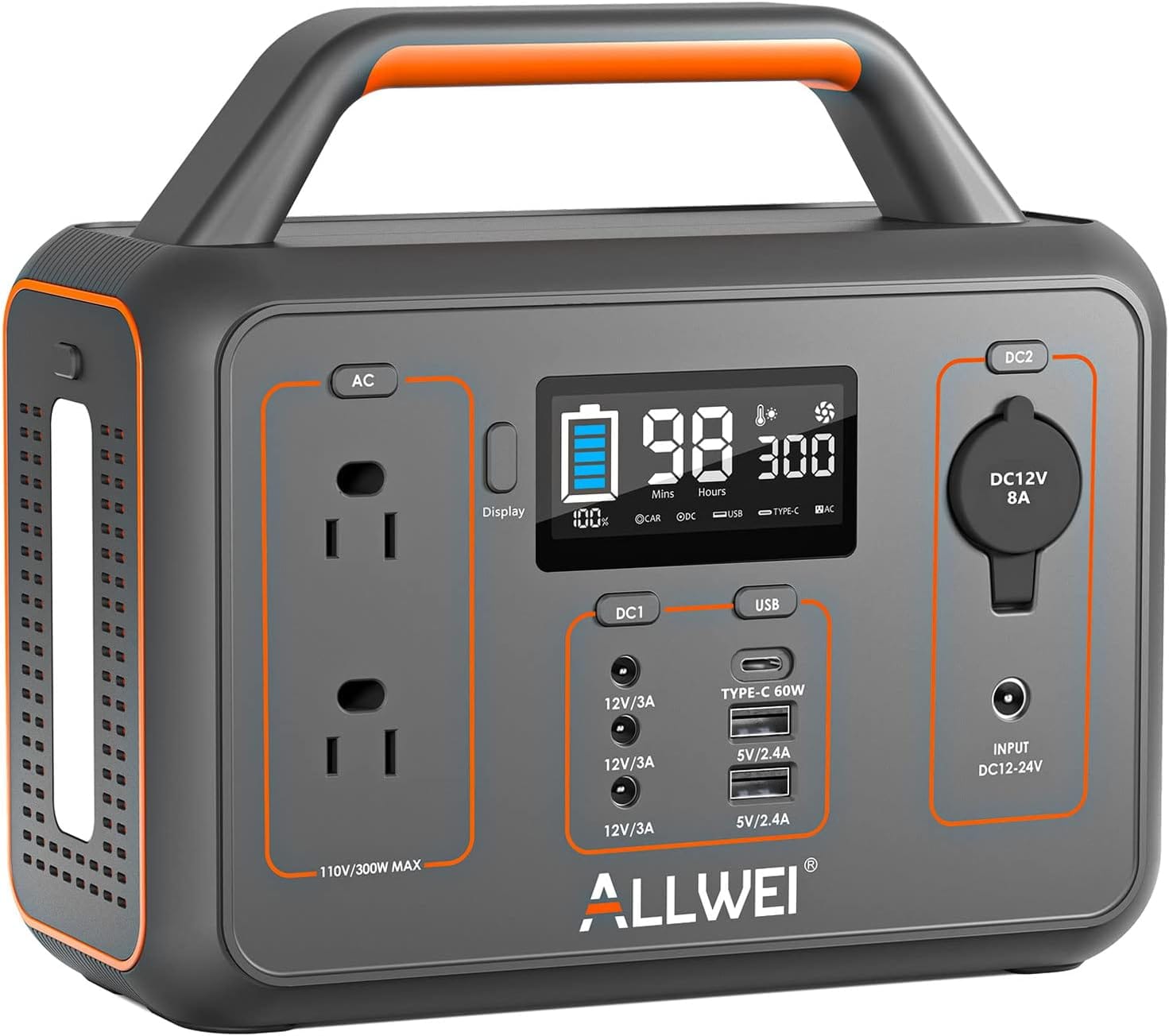
You’re looking at the ALLWEI Portable Power Station 300W, 280Wh Solar Generator with 110V Pure Sine Wave AC Outlet, Backup Lithium Battery Generator for CPAP Outdoor RV Camping Emergency Home Use. This compact unit is aimed at people who need lightweight, portable power for short-term use — campers, RVers, CPAP users, and anyone who wants a quiet backup for small home devices during outages. The product balances portability, safety features, and a respectable set of output ports for everyday essentials.
Quick summary of strengths and limitations
You’ll appreciate that it’s lightweight (about 6 lbs), has pure sine wave AC outlets for sensitive electronics like CPAP machines, and offers multiple recharging methods, including solar. On the flip side, the 300W continuous output and 280Wh capacity limit run times for higher-power appliances, and you’ll need to manage loads to avoid the overload cutoff.
Technical specifications (at-a-glance)
You’ll want a clear technical snapshot before making a decision. The table below breaks down the most relevant specs so you can compare at a glance.
| Specification | Detail |
|---|---|
| Model | ALLWEI Portable Power Station 300W / 280Wh |
| Battery Capacity | 280Wh (watt-hours) |
| Rated Output | 300W continuous |
| Peak / Surge Output | Not explicitly listed (watch for startup surge limits on heavy appliances) |
| AC Output | 2 × 110V/120V Pure Sine Wave AC outlets |
| USB-C Output | 1 × PD 60W |
| USB-A Outputs | 2 × USB-A |
| DC Outputs | 3 × DC ports + 1 × car cigarette lighter |
| Simultaneous Outputs | Up to 9 ports at once |
| Recharging Methods | AC wall charger, car charging, solar panel (MPPT built-in) |
| AC Charge Time | 5.5–6.5 hours |
| Car Charge Time | 4.5–5.5 hours |
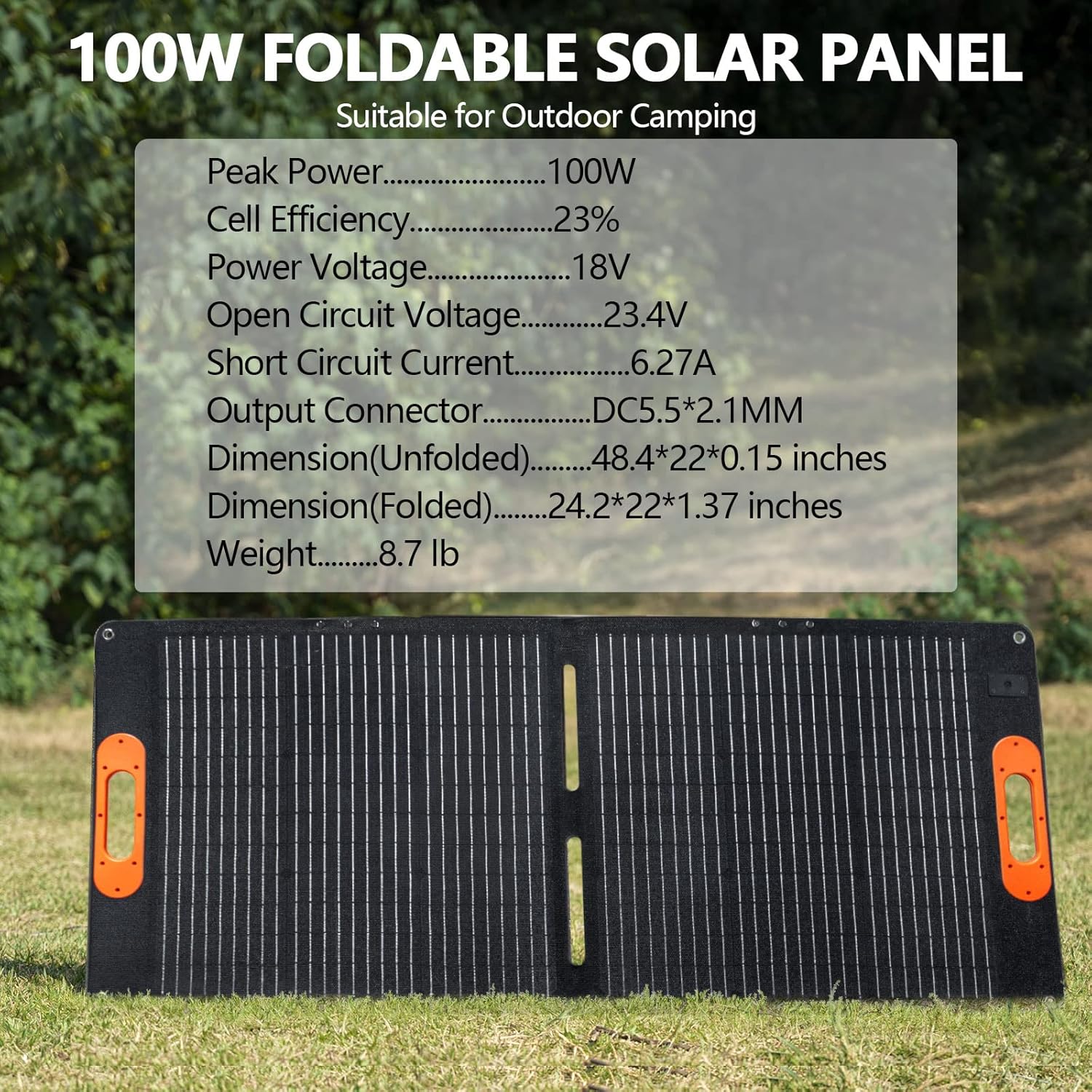
| Solar (100W) Charge Time | 3–4 hours (in full sunlight) |
| Weight | 6 lbs (approx.) |
| Dimensions | 8.86 × 4.53 × 8.07 inches |
| Battery Type | Lithium-ion |
| Life Cycle | Up to 1500 cycles |
| Special Features | 3-level LED light with SOS mode, silent cooling fan, BMS, MPPT controller |
| Accessories Included | AC power adapter, AC cable, DC car cable, user manual |
| Solar Panel | Sold separately |
How to read the numbers
You’ll find the 280Wh battery is the raw energy available. The manufacturer recommends a practical conversion for runtime: Your Device’s Run time = 280Wh × 85% / Your device’s watts. That 85% accounts for inverter and system inefficiencies, so use that to estimate realistic runtimes.
Design and build: what it feels like to carry and use
You’ll notice how compact this power station is the moment you pick it up. The boxy, ergonomic shape with a top handle and modest footprint makes it easy to stow in a vehicle or carry to a campsite. The plastic shell feels sturdy for everyday portable use, though it’s not a fully ruggedized or waterproof case — treat it like a premium road/household tool rather than heavy-duty industrial gear.
Port layout and controls
You’ll find a straightforward control layout: a main power button, an LCD or icon array showing BMS alerts, and the port cluster on a single side for easier access. Having two AC outlets is helpful because many small appliances can be plugged in simultaneously without adapters. The PD 60W USB-C port lets you charge laptops and fast-charge phones, while the multiple DC and USB-A ports keep smaller devices powered.
LED light and convenience features
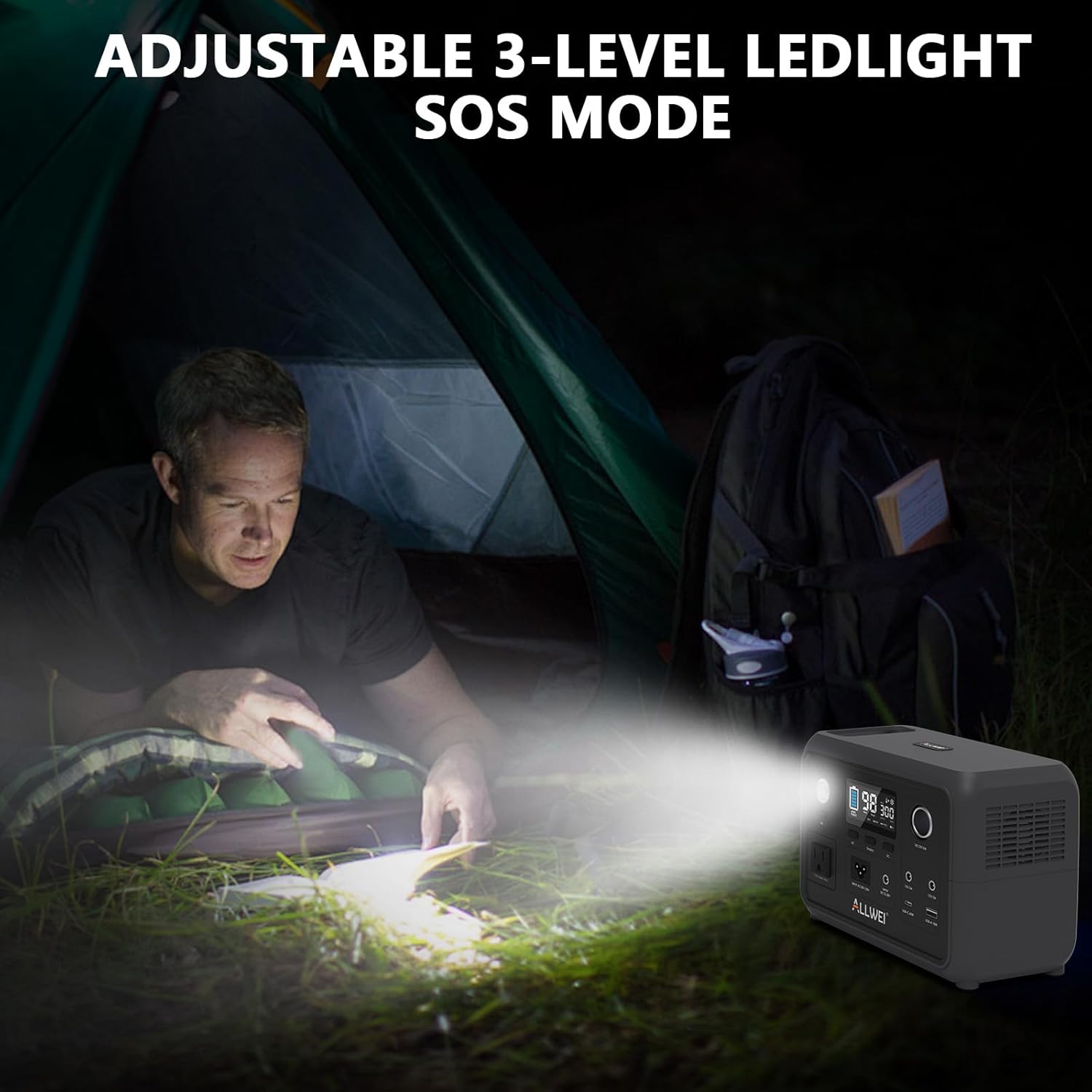
You’ll appreciate the built-in 3-level LED light with SOS mode for camping or emergency signaling. It’s not a replacement for a dedicated lantern, but it’s handy when you need low-level illumination at night or a visual distress signal.
Ports and connectivity: what you can actually plug in
You’ll be able to power phones, laptops, cameras, and low-power appliances simultaneously thanks to the nine ports. The PD 60W USB-C is particularly useful if you carry a modern laptop or need fast charging for a tablet. The pure sine wave AC outlets are a big plus for sensitive gear like CPAP machines or medical devices that require stable waveforms.
Simultaneous usage considerations
You can run up to nine devices, but you’ll need to monitor the combined load. When AC outputs are used, keep the total below 300W to avoid an automatic shutdown from overload protection. If you plan to run an AC CPAP, small fridge, or other appliances, calculate wattage carefully so you don’t exceed the limit.
Charging options and real-world charge times
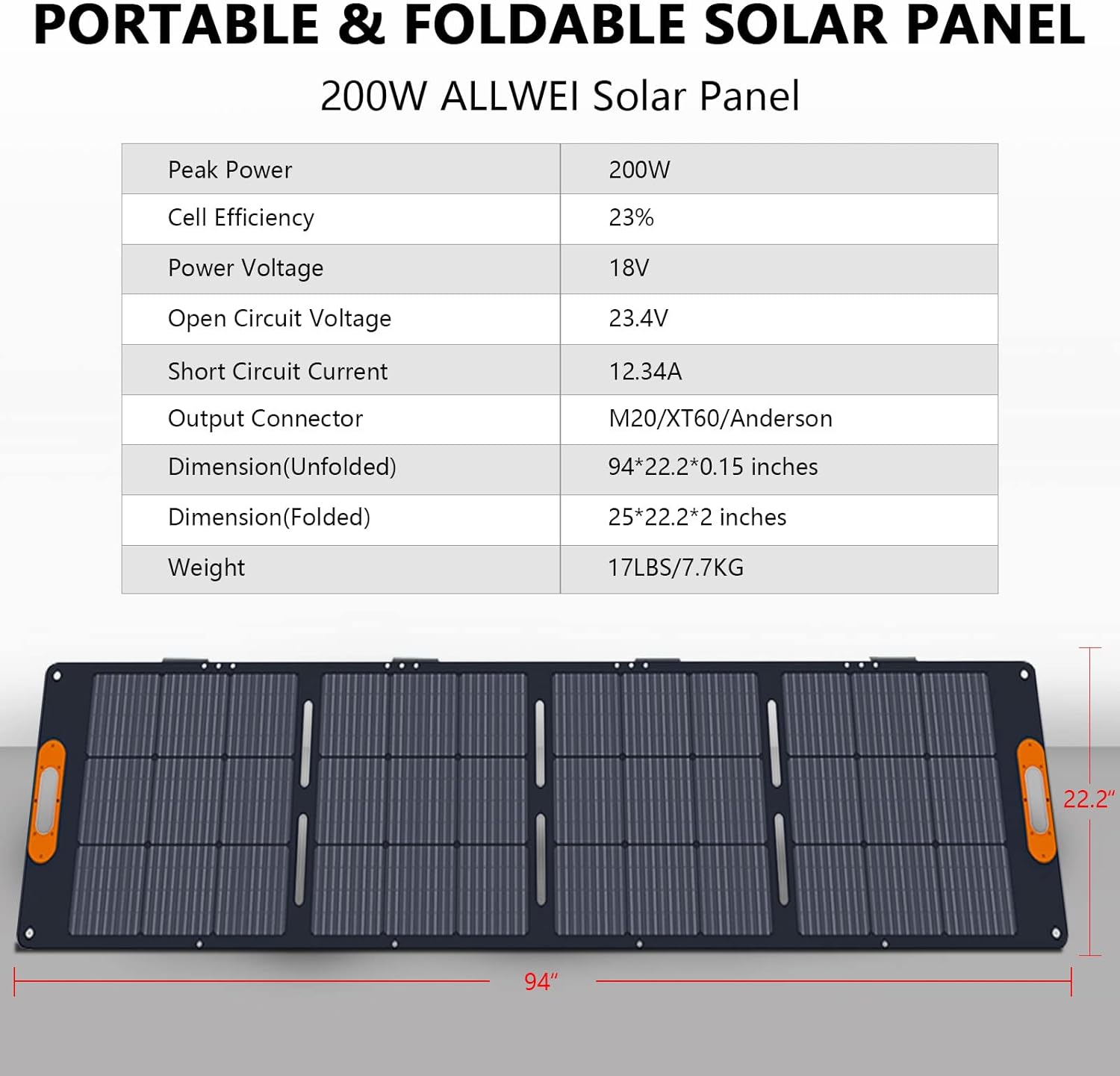
You’ll like the flexibility of three charging methods: AC wall, 12V car, and solar. The built-in MPPT controller optimizes solar input for faster charging and better efficiency compared to PWM systems. In ideal conditions, a 100W solar panel can recharge the unit in about 3–4 hours, which is quite fast for a 280Wh battery.
Typical charge times
You’ll see different charge durations depending on the source:
- AC wall charging: 5.5–6.5 hours to full.
- Car charging: 4.5–5.5 hours.
- Solar (100W panel): 3–4 hours in full sunlight.
These times assume ideal conditions. Cloud cover, panel placement, and panel wattage affect solar times. The MPPT helps optimize under varying sunlight but isn’t a magic bullet for poor conditions.
Battery life and runtime estimation
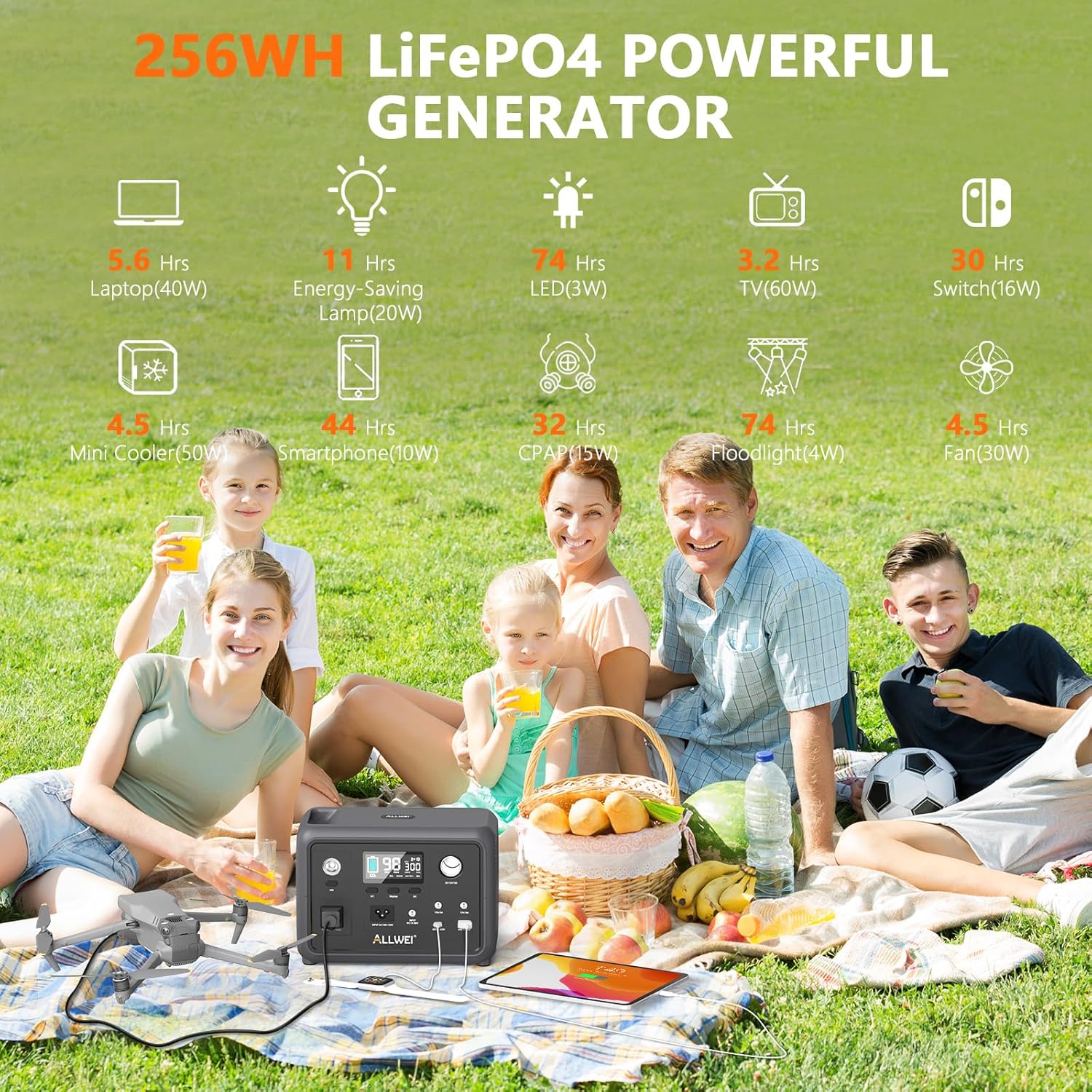
You’ll want to estimate how long the power station will actually run your equipment. Use the provided formula: Your Device’s Run time = 280Wh × 85% / Your device’s watts. The 85% factor accounts for inverter efficiency and losses.
Examples of estimated runtimes
You’ll find these example runtimes useful:
- Smartphone (10W): ~23.8 hours (280 × 0.85 / 10 = 23.8)
- Laptop (45W): ~5.3 hours
- CPAP (30–60W typical): ~7.9–3.9 hours depending on pressure and humidifier usage
- Mini cooler (50W continuous): ~4.7 hours
- Portable fan (20W): ~11.9 hours
Remember that devices with surge or startup power demands (like some fridges or pumps) may trigger overload protection even if their running wattage seems acceptable.
Using it with CPAP machines
You’ll be pleased that the unit’s pure sine wave AC outlets make it suitable for many CPAP machines, which are sensitive to power quality. Check your CPAP’s power draw (usually printed on the device or the power brick) and factor in any humidifier or heated tube accessories that increase power use.
Practical CPAP run times and tips
You’ll get longer CPAP run times if you run without a heated humidifier or heated tubing. For example, at 40W average consumption, expect roughly 5.95 hours (280 × 0.85 / 40). If you want overnight reliability, test your specific CPAP setup at home with this power station to confirm runtime before relying on it for travel or emergencies.
Noise and cooling: what to expect at night or in quiet settings
You’ll hear a small sound when the smart fan runs, especially under heavy loads or while charging. The unit is marketed with a “silent cooling fan,” but the fan will engage as temperatures rise; the noise is low but noticeable in very quiet environments. The fan’s automatic behavior protects battery and electronics, but if you sleep nearby during a CPAP session, test it at night to judge acceptability for your needs.
Safety features: BMS and MPPT explained
You’ll benefit from built-in battery management system (BMS) protections that guard against overcharge, over-discharge, short circuits, and temperature extremes. The MPPT charge controller improves solar recharging efficiency and helps manage panel input safely.
How the safety features affect daily use
You’ll see icon flashes on the LCD if the BMS triggers a protection state. If you hit the overload threshold, the unit will automatically shut off to protect itself. That behavior is normal and important — it prevents damage and reduces fire risk. For longer storage, you should charge the generator at least every three months as recommended.
Practical use cases and scenarios
You’ll get the most value from this unit when you match its capabilities to realistic use cases. It excels at short-term power for small essentials or single-device overnight needs.
Camping and RV weekend trips
You’ll find it perfect for weekend trips where you need to charge phones, run a mini-fridge for intermittent use, power lights, or keep a CPAP running at night. Its light weight and small footprint make it easy to carry to a campsite or stow in an RV storage compartment.
Emergency home backup
You’ll use it to power critical small items during outages — Wi-Fi routers, phones, lights, or a medical device for an evening or overnight. It won’t run central HVAC or big appliances for long, but it can buy you time and connectivity when it matters most.
Work and productivity on the go
You’ll be able to charge a laptop via the 60W PD USB-C while working remotely. The pure sine wave output adds a degree of protection for sensitive electronics so you can power work tools without worrying about waveform-related issues.
Pros and cons — a balanced look
You’ll want a straightforward breakdown of the good and the not-so-good before deciding.
Pros:
- Portable and lightweight (~6 lbs) for its capacity.
- Pure sine wave AC for sensitive devices.
- USB-C PD 60W for fast charging modern devices.
- Built-in MPPT for efficient solar charging.
- Multiple ports allow simultaneous powering of many devices.
- Useful LED light with SOS mode for emergencies.
- BMS and safety protections, rated for 1500 cycles.
Cons:
- 300W continuous output limits use with heavier appliances.
- 280Wh capacity is modest; not suited for extended off-grid living.
- Solar panel sold separately — initial setup cost can increase.
- Not fully ruggedized or weather sealed for extreme outdoor conditions.
- Fan noise, while low, can be noticeable in quiet environments.
Maintenance, storage, and tips for long-term use
You’ll get the most lifetime value by following a few simple care steps. Charge the unit every three months if you’re not using it regularly to prevent deep discharge. Store it in a cool, dry place; avoid leaving it fully discharged for extended periods.
Charging best practices
You’ll want to avoid charging in extreme temperatures. The built-in thermal controls will protect the unit, but you’ll get better battery longevity by charging and storing between about 20–25°C when possible. If you use a solar panel, aim for optimal sunlight angles and avoid shadowing that reduces MPPT efficiency.
Real-world performance tips and testing recommendations
You’ll be best served by testing the station with your specific devices before critical use. Run a full charge cycle, then connect your device(s) and record the real runtime. Devices with heaters, compressors, or motors often draw larger startup currents, so test those first to ensure they don’t trip overload protection.
Useful testing checklist
You’ll want to:
- Note your device’s continuous and startup wattage.
- Run the unit at the typical load to measure actual runtime.
- Test the AC outlets with sensitive electronics to confirm stable operation.
- Try both AC and solar charging to validate times in your conditions.
Comparisons: how this stacks up against similar units
You’ll find competing units in the 200–500Wh class. The ALLWEI unit stands out for its combination of pure sine wave outputs, USB-C PD 60W, and built-in MPPT at a relatively low weight. If you need longer runtime or higher continuous output, you’ll need to step up to larger capacity stations (500–1000W or more), which will be heavier and more expensive.
When to choose this unit vs. a larger one
You’ll choose this unit if you prioritize portability and plan short-duration power needs for phones, laptops, CPAPs, and small appliances. You’ll upgrade to larger stations if you need to run multiple high-wattage appliances or sustain refrigerators and major loads for many hours.
Troubleshooting common issues
You’ll likely encounter a handful of common questions. Below are quick fixes and checks that address typical user issues.
- Unit won’t power on: Make sure it’s charged and the main power button is pressed. Verify any embedded safety lockouts (BMS) haven’t engaged.
- Overload shutdown: Reduce connected wattage below 300W and restart. Check startup surges on motorized devices.
- Solar not charging efficiently: Adjust panel orientation, check connections, and ensure panels are free from shade. MPPT helps, but panels must be sized and placed correctly.
- Fan runs frequently: This is normal when the unit is charging or under load. Ensure good airflow and avoid blocking vents.
Environmental and safety notes
You’ll observe the usual safety rules for lithium-ion batteries: avoid exposure to high temperatures, do not puncture or disassemble the unit, and follow the manufacturer instructions for disposal and recycling. The BMS and MPPT controllers contribute to safe operation, but they don’t replace sensible user precautions.
Who should buy this product?
You’ll be a good fit for this power station if:
- You need a reliable, portable power source for CPAP overnight or short trips.
- You want a unit light enough to carry on hikes, weekend camping, or RV trips.
- You prioritize multiple convenient ports, including USB-C PD, for modern devices.
- You’re looking for a compact emergency backup to keep communication and essential devices running during short outages.
Who should consider alternatives?
You’ll consider alternatives if:
- You need to run larger appliances for extended periods (look for higher-watt and higher-Wh units).
- You want a fully ruggedized, weatherproof power station for extreme outdoor work.
- You need integrated solar panels — remember this unit requires separate panels.
Final verdict and buying considerations
You’ll find the ALLWEI Portable Power Station 300W, 280Wh Solar Generator with 110V Pure Sine Wave AC Outlet, Backup Lithium Battery Generator for CPAP Outdoor RV Camping Emergency Home Use offers a strong combination of portability, pure sine wave output, and modern charging ports. It’s best suited for short to medium-duration tasks where weight and compactness matter. For overnight CPAP use, phone and laptop charging, lighting, and small appliances, it’s a capable and convenient solution — just make sure you size your expected loads and test run times before critical use.
Frequently asked questions (FAQ)
You’ll have practical questions; here are answers to the most common ones:
Q: Can it run a CPAP all night? A: Yes, for many CPAP models. Estimate runtime using 280Wh × 85% / CPAP watts, and test at home to be certain for your specific machine.
Q: Is the solar panel included? A: No, the solar panel is sold separately. For the best performance, use a 100W panel to achieve the quoted 3–4 hour recharge in full sunlight.
Q: How loud is the fan? A: The fan is described as silent but will produce a low noise during charging or under load. It’s generally unobtrusive but can be noticeable in very quiet settings.
Q: How often should I charge it if I’m not using it? A: Charge it at least every three months to prevent deep discharge and preserve battery life.
Q: Can you replace the battery? A: The unit uses integrated lithium-ion cells and is not designed for user-replaceable batteries. For battery longevity, follow charge and storage recommendations.
Closing tips before you buy
You’ll maximize the value of this power station by pairing it with a good quality 100W solar panel (sold separately) if you plan extended outdoor use, checking exact power requirements of devices you intend to run, and performing a test run for CPAP or work setups. Keep the included cables accessible, and plan storage and charging routines so the unit is ready when you need it.
If you want, you can provide specific devices and typical usage scenarios and you’ll get a tailored runtime estimate and advice on whether this unit fits your needs.
Disclosure: As an Amazon Associate, I earn from qualifying purchases.